Local vs Cloud PDF Editors: What Actually Leaves Your Browser?
Compare browser-local and cloud PDF processing, understand AI and OCR data flows, and choose the right workflow for sensitive documents.
“Online” describes the interface, not the data flow
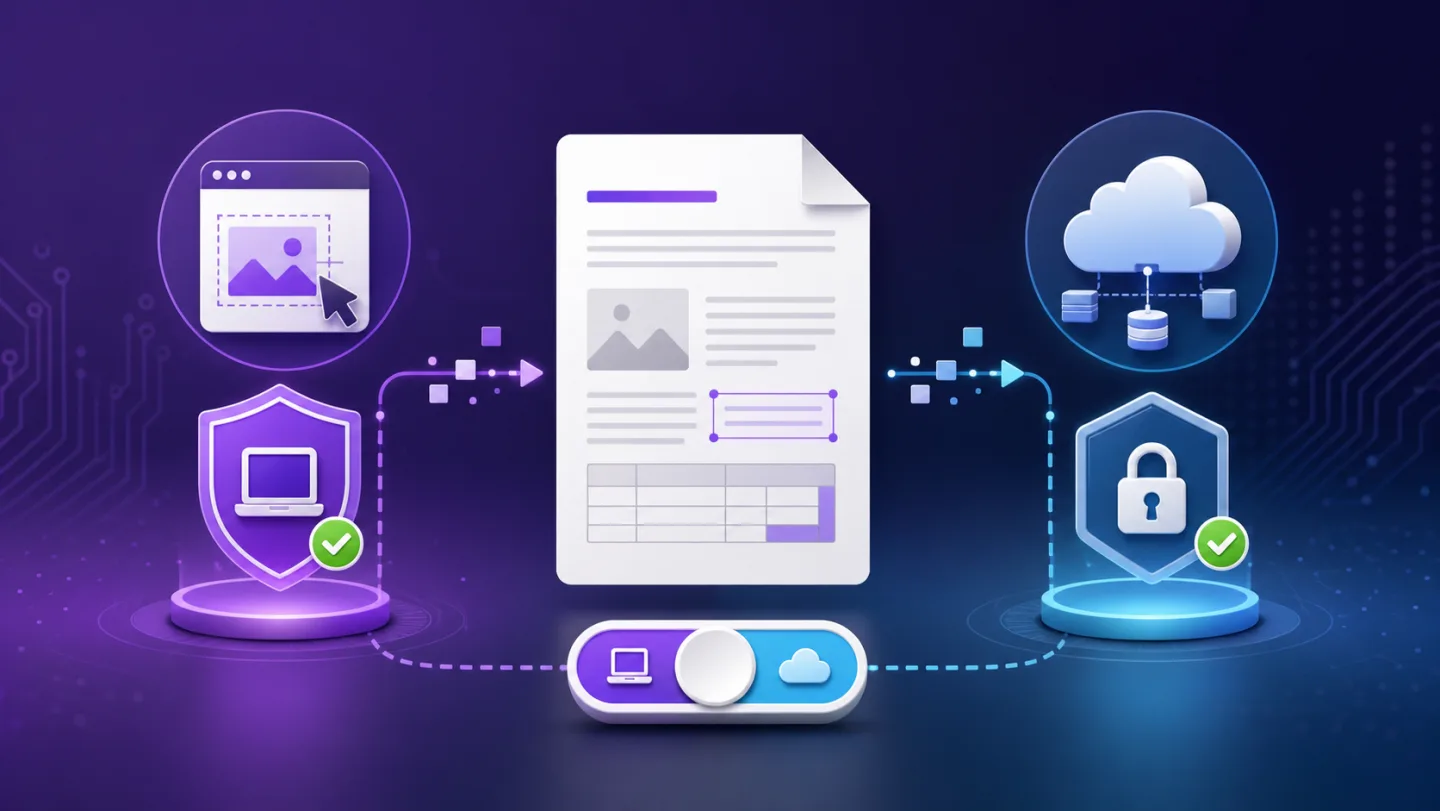
A PDF editor can run inside a website while performing most operations in your browser. Another tool may upload the file immediately. A third may keep manual editing local but use a server for OCR, AI or complex structural rewriting.
The trustworthy description is action-specific.
| Action | Can run locally? | Why cloud processing may be used |
|---|---|---|
| Add text, draw or sign | Usually | Account sync or collaboration |
| Merge, split or rotate | Usually | Very large files or mobile constraints |
| Edit readable text | Often | Font analysis or structural rewrite |
| OCR scanned pages | Sometimes | More capable recognition models |
| AI summarize or rewrite | Usually requires a model service | Language model inference |
| Complex object removal | Depends on PDF structure | Native PDF parser or worker |
Questions to ask any PDF editor
- Is the whole PDF uploaded when I choose the file?
- Which manual tools work without a server?
- Does AI receive the PDF, page images or extracted text only?
- Does OCR require page images?
- Is a cloud copy stored, or processed only for the request?
- Can I delete account metadata separately from local browser files?
- Are retention and training claims documented for every provider involved?
A padlock in the browser indicates an encrypted HTTPS connection. It does not prove that the file is never processed, stored or shared after it reaches a service.
UnoPDF’s current data-flow boundaries
Manual editing and the deterministic utility tools are designed to begin in the browser. Uno AI sends detected text items needed for the chosen command, rather than automatically sending original PDF bytes. OCR sends prepared page images only after explicit consent.
Some structurally complex removal operations use an authenticated private PDF worker. The request is processed in memory and the current architecture does not create a cloud PDF library or persistent document bucket. This is different from claiming that every operation is local.
The Privacy & Trust Center is the source of truth when implementation details change.
Local processing has limits too
Browser-local processing reduces unnecessary transmission, but it is not automatically secure in every environment. Risks still include:
- a compromised device or browser extension;
- shared computers and downloaded output files;
- browser crash recovery or local history;
- screenshots and clipboard contents;
- sending the exported PDF through an insecure channel.
Security depends on the full workflow, not only the editor.
Cloud processing can be appropriate
A private cloud worker may be the safer technical choice for a difficult PDF if it can make a precise structural change and is protected by authentication, narrow permissions and minimal logging. The alternative may be a destructive visual cover or an unreliable browser workaround.
The user should still know when that boundary is crossed and what data is sent.
Choose by document sensitivity
| Document | Recommended starting point |
|---|---|
| Public brochure | Browser or cloud editor based on convenience |
| Internal process guide | Local-first manual editing; review AI use |
| Invoice with account data | Minimize transmission and verify outputs |
| Contract with personal data | Approved organizational workflow |
| Medical or regulated record | Use the organization’s authorized system |
Do not upload a sensitive document merely to test a feature. Create a sanitized sample with the same layout first.
The practical privacy rule
Use the least data required for the result. A one-word correction should not require a permanent cloud library. A summary model needs text, but not necessarily every PDF object. A structural worker may need the PDF bytes, but not the user’s browsing history.
Open UnoPDF for a manual test or review the Privacy & Trust Center before using AI, OCR or structural processing.
Open UnoPDF and start with the change you need.